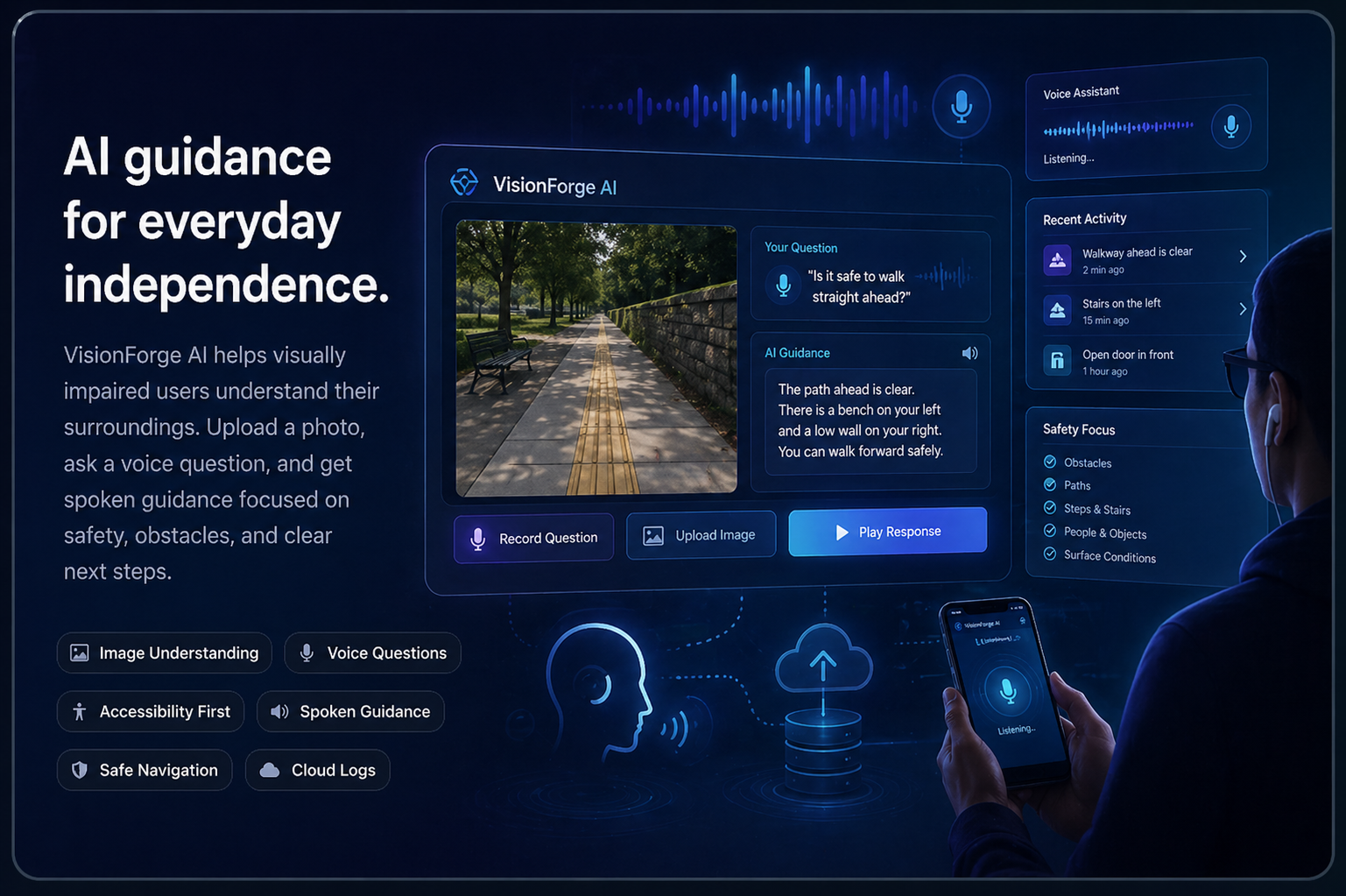
VisionForge AI started as an image understanding project, but the goal became more practical: help visually impaired users get clear guidance from a photo and a voice question.
Captioning alone was not enough. The output needed to be useful in real situations.
A normal caption might say “a beach at sunset” or “a room with furniture.” That can be accurate, but it is not always helpful for someone who needs to move safely. VisionForge AI focuses on the details that affect navigation: obstacles, surface conditions, nearby people, doors, stairs, water, vehicles, and the safest direction to move.
The assistant lets a user upload an image and ask a question such as “Can I walk forward safely?” or “What is in front of me?” The system sends the image and question to Gemini, returns a spoken accessibility-focused response, and stores the interaction in Google Datastore.
The project is designed as a working web system, not just a static demo. It includes a Node.js and Express backend, cloud deployment on Google App Engine, Gemini image analysis, saved logs, and a mobile-friendly assistant page for quick use.
The main features are focused on accessibility, safety, and saved results.
Users can upload a photo of their surroundings so the assistant can inspect the scene.
The user can ask practical questions about movement, obstacles, or what is nearby.
The result is written and spoken back with safety details and next-step guidance.
Upload Image → Ask Question → Gemini Analysis → Spoken Guidance → Save Log in Datastore → Review History
Built as a Web Systems project with a focus on practical AI and cloud deployment.
Full-Stack Development
Worked on the interface, backend integration, Google Cloud setup, and deployment workflow.
AI Feature Support
Supported the accessibility use case, prompt direction, and response quality testing.
Cloud and Data Support
Supported cloud database planning, saved logs, and system documentation requirements.